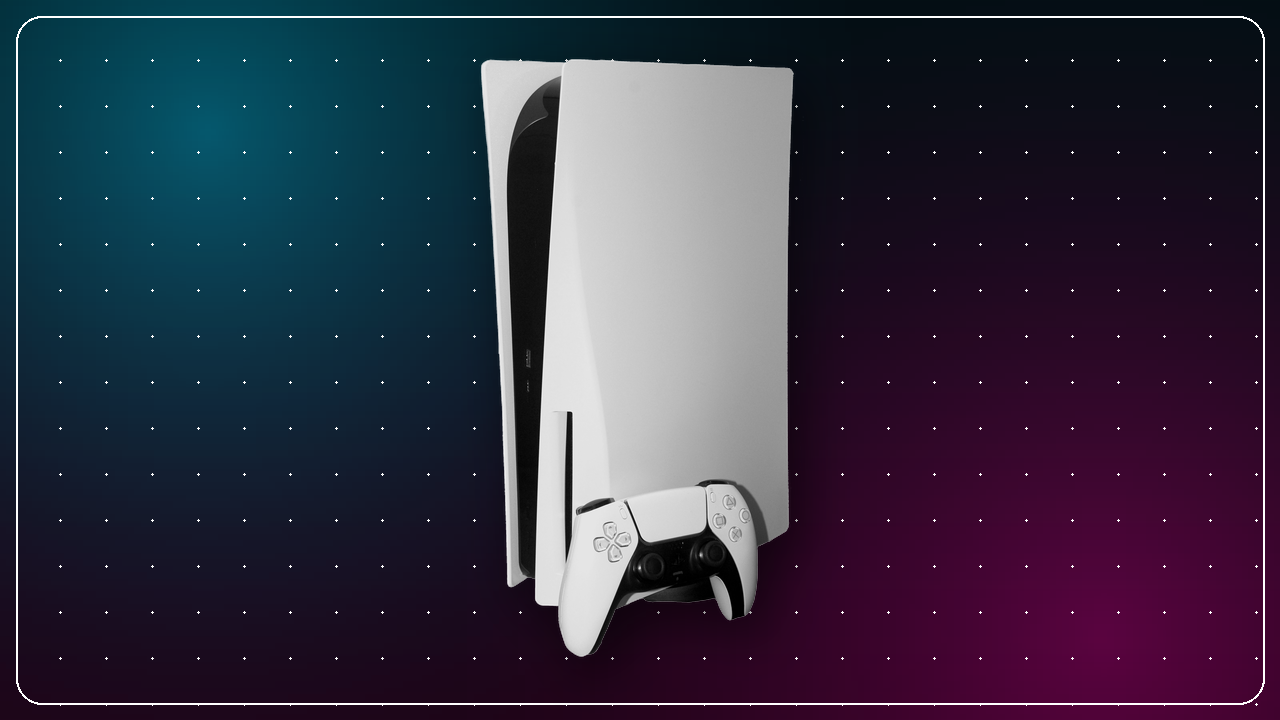
Sony rolled out a PS5 system software update in mid-September 2025 that landed two features players had been asking about for years: the ability to pair a DualSense controller with several devices at once, and a new Power Saver mode aimed at cutting the console's energy draw. Both had been trialled with beta program participants over the summer before the global rollout began on September 16, 2025. Neither feature reinvents how you play, but together they smooth over two long-standing annoyances — the pairing shuffle between platforms, and a console that runs warmer and thirstier than many owners would like. Here is a clear breakdown of what changed, how each feature works, and how to get it running on your own setup.
What the update changed
PS5 system software updates tend to arrive in one of two flavours: quiet maintenance patches that shore up stability and security, and feature updates that add something you can actually see and use. This was firmly the latter. The headline additions were multi-device DualSense pairing and Power Saver mode, both of which Sony had previewed through its beta channel — the opt-in program that lets a subset of players test upcoming firmware before it reaches everyone.
Running the update itself follows the usual routine. Most consoles download and install system software automatically overnight in rest mode, but you can trigger it manually from Settings → System → System Software → System Software Update and Settings. If you have not touched your PS5 in a while, it is worth checking here first so you are on the latest version before hunting for the new options below.
A quick reminder on beta channels: features that appear in a PS5 beta usually reach the stable build within a few weeks, but Sony occasionally reworks or delays them based on tester feedback. If you want to try new firmware early, you can register for the beta program when Sony opens sign-ups, though the stable release is the safer choice for most players.
Multi-device DualSense pairing
The standout change is that DualSense and DualSense Edge controllers can now pair with up to four different devices and switch between them without re-pairing each time. Before this update, moving a controller between, say, your PS5 and a gaming PC meant putting the pad back into pairing mode and running through the full Bluetooth handshake on every switch — a small chore that added up fast for anyone juggling platforms.
With the new system, you can connect a single controller to your PS5, a Windows PC, an Android phone, and an iPhone, then hop between them through each device's controller or Bluetooth settings. The controller remembers all four connections and automatically reconnects to the last device it was paired with when you power it on. That detail matters: because it favours the most recent connection, jumping back to a device you used earlier may still need a manual selection from that device's Bluetooth list.
It is worth being clear about scope. This is a convenience feature for the pairing memory, not a change to what the DualSense can do on non-PlayStation hardware. Advanced features like adaptive triggers and haptic feedback still depend on whether the game and platform you are playing on support them — support that is strongest on PS5 itself. For a full refresher on getting the most out of the pad's headline features, our DualSense guide walks through them in detail.
Power Saver mode explained
The second addition, Power Saver mode, is a longer game. Rather than a single system-wide switch, it gives developers a framework to reduce a game's power consumption — trimming GPU and CPU load during moments where maximum performance is not strictly necessary. When a game supports it, you will see a Power Saver toggle in that game's own settings, letting you choose between standard performance and a lower-draw profile.
The key caveat, carried over from the update's launch, is that this is opt-in on a per-game basis and depends on individual developers adding support through patches. Not every title will offer it, and those that do will roll it out on their own schedules. So while the plumbing arrived with the September update, the practical benefit grows over time as more studios build it into their games.
What does the mode actually save you? In broad terms, lower power draw translates to three things: a smaller slice of your electricity bill during long sessions, quieter fan behaviour thanks to reduced heat, and less thermal stress on the hardware over the console's lifetime. None of these is dramatic on its own, but for players in regions with high energy prices — or anyone gaming through a hot summer with the air conditioning already working overtime — the cumulative effect is real. If you are weighing up hardware efficiency more broadly, our PS5 vs PS5 Pro comparison puts the power and thermal picture in context across the current console family.
How to set it up
Getting multi-device pairing working takes only a few minutes:
- Update first. Confirm your PS5 is on the latest system software via Settings → System → System Software.
- Pair each device normally. Put the DualSense in pairing mode (hold the PS and Create buttons until the light bar flashes) and complete the standard Bluetooth pairing on each device — up to four in total. The controller stores each connection automatically.
- Switch by powering on near your target device. Turn the controller on next to the device you want to use. If it does not connect on its own — often because it defaulted to the last-used device — pick it from that device's Bluetooth list.
- Manage slots as needed. On PS5 you can review connections through the Accessories menu; on other platforms, use their Bluetooth settings. To free a slot for a fifth device, “forget” the controller on one of the existing four and re-pair.
For Power Saver mode, there is nothing to enable at the system level. Once you are updated, look for the Power Saver toggle inside the settings of any game that supports it — usually in the game's own graphics or performance menu.
Why these features matter
Taken together, these two additions reflect a consistent theme in how Sony has evolved the PS5 through firmware: chipping away at friction and broadening the console's appeal beyond the living room. Multi-device pairing acknowledges that a lot of players no longer live inside a single ecosystem — they might play a PS5 exclusive in the evening, jump to a PC game at their desk, and pick up a mobile title on the move, all with the same pad in hand.
Power Saver mode, meanwhile, folds a sustainability angle into something with a tangible personal upside. Efficiency features have historically been an afterthought on games consoles, so building a proper developer-facing framework — rather than a blunt system toggle — is a sensible bet on the feature maturing over the console's remaining lifespan. As the PS5 heads deeper into its generation and its library keeps growing, small quality-of-life upgrades like these are exactly what keep the platform pleasant to live with day to day. If you are curating that library, our roundup of the best PS5 games of 2026 so far is a good place to start.
The bottom line
The September 2025 PS5 update is a small but genuinely useful one. Multi-device DualSense pairing is the immediately gratifying change — set it up once and the constant re-pairing dance simply goes away. Power Saver mode is more of a slow burn, valuable in proportion to how many of your games eventually adopt it, but pointed in a direction that benefits your wallet, your ears, and your hardware alike. If you have not installed the update yet, run the check, pair your controller across your devices, and keep an eye on your game settings for that Power Saver toggle as support widens. For the official write-up, Sony's original announcement lives on the PlayStation Blog, which detailed the beta program in July 2025 ahead of the global rollout on September 16, 2025.
← Back to News